
Analyze Scenarios
Analyze scenarios using the following charts in the This Scenario tab.
Emissions Over Time
Section titled “Emissions Over Time”This figure describes the cumulative carbon emissions of a building over time. As a chart of cumulative emissions, the height of the bar in each year is the total emissions associated with the building up to and including that year rather than only the emissions associated with that year.
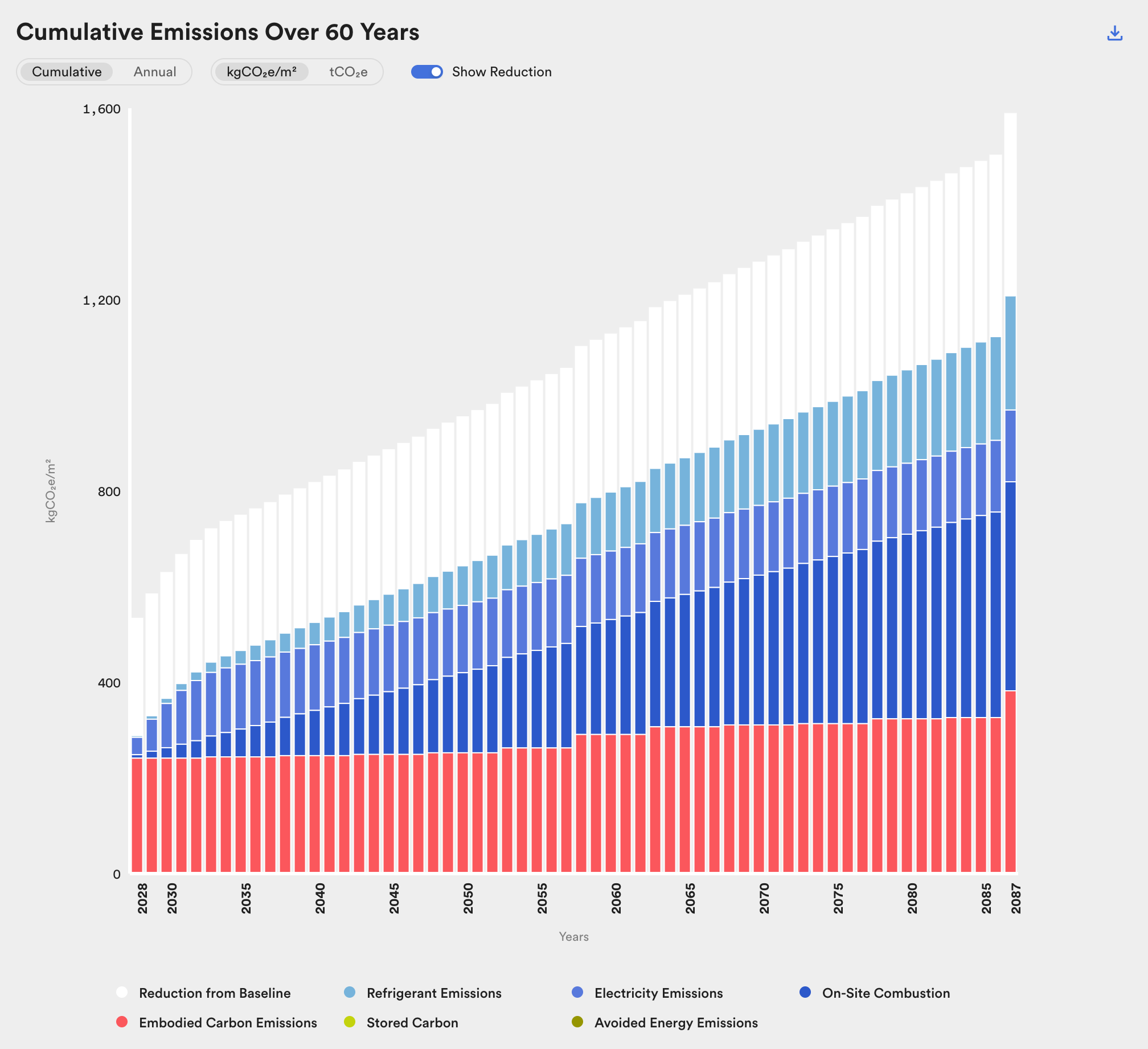
This figure shows cumulative emissions over time. Looking at effects over time facilitates an understanding of how different carbon emission reduction strategies perform over a building's lifetime.
For definitions of chart elements (Reduction from Baseline, Stored Carbon, Avoided Energy Emissions, etc.), see the Glossary.
Hover over a bar to see the emissions summary for that year. This is useful for checking how your project performs against time-based targets (e.g. a 2030 net zero target). Hover over the final year to see total emissions across the analysis period. Note that these numbers are rounded to the nearest hundred and may not sum to net emissions in all cases.
Impacts By Category
Section titled “Impacts By Category”The Life Cycle Emissions chart shows the scenario's impacts By Category or By Life Cycle Stage. Switch between them above the chart.
By Category breaks down the building's contribution to operational carbon emissions (B6), embodied carbon emissions (A1-A3, A4-A5, B1, B2-B5, C1-C4, D), and biogenic carbon storage by category. This figure represents the total cumulative emissions associated with the scenario across the entire analysis period.
When comparing C.Scale results to wbLCA results at later project phases, use this breakdown to confirm whether your design is within the carbon budget for a particular category.
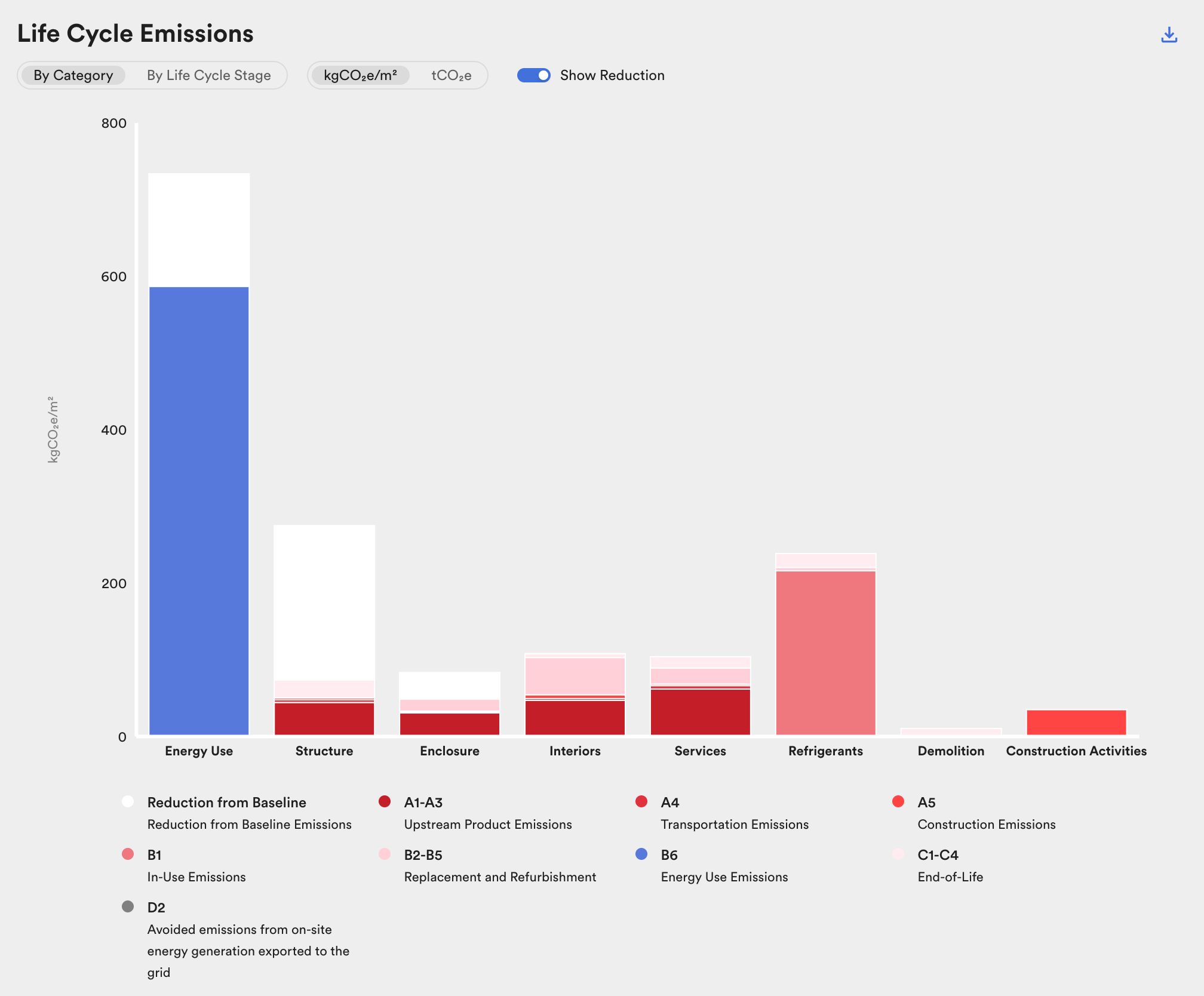
This figure shows total emissions by category. Comparing the relative contribution of each category can help in identifying the largest contributors and targeting reduction strategies accordingly.
For definitions of each life cycle stage (A1-A3, A4-A5, B1, B2-B5, B6, C1-C4, D), see Goal and Scope.
Impacts By Life Cycle Stage
Section titled “Impacts By Life Cycle Stage”By Life Cycle Stage breaks down the building's contribution to operational carbon emissions (B6), embodied carbon emissions (A1-A3, A4-A5, B1, B2-B5, C1-C4, D), and biogenic carbon storage by life cycle stage. This figure represents the total cumulative emissions associated with the scenario across the entire analysis period.
When comparing C.Scale results to wbLCA results at later project phases, use this breakdown to confirm whether your design is within the carbon budget for a particular life cycle stage.
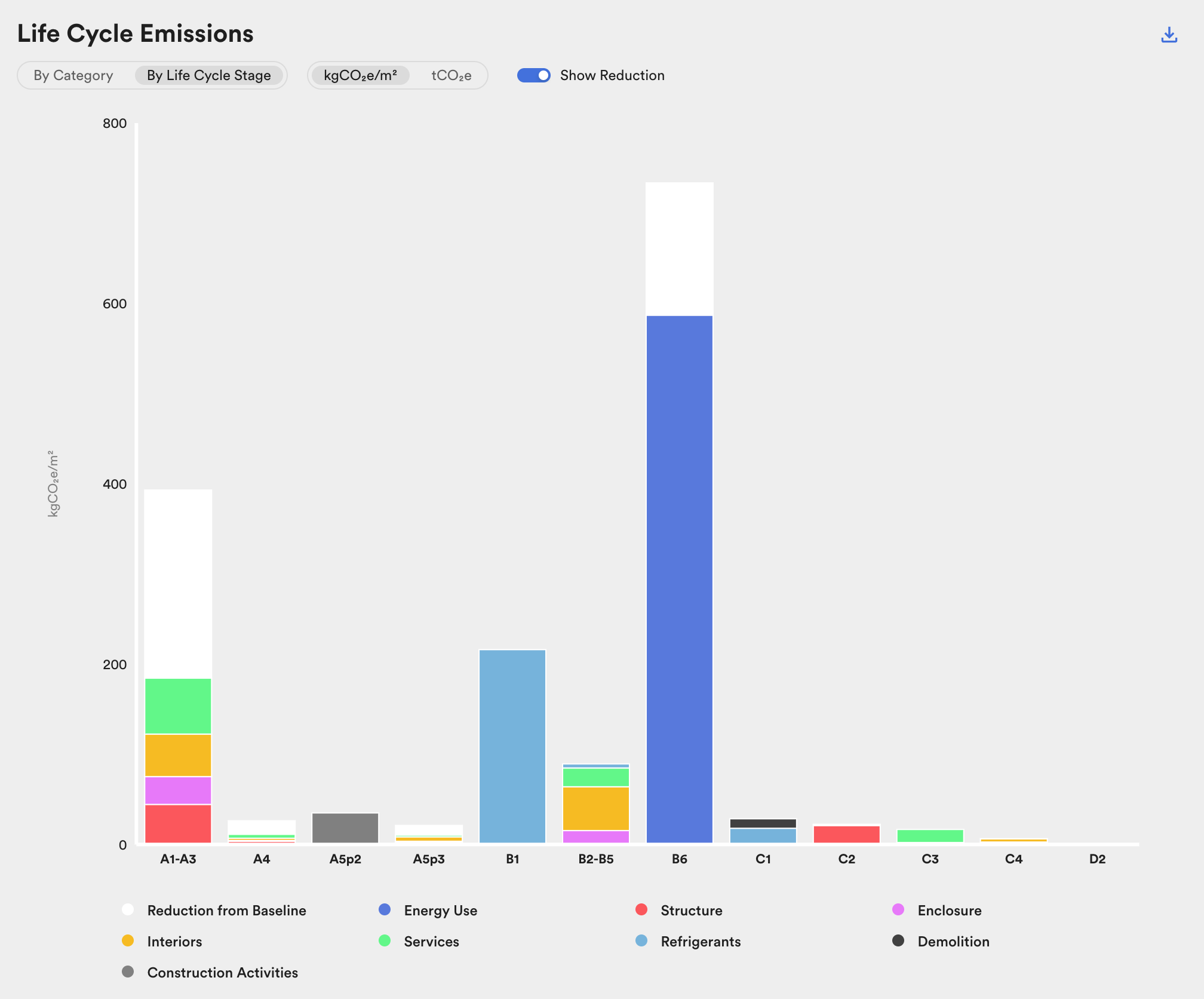
This figure shows total emissions by life cycle stage. Comparing the relative contribution of each life cycle stage can help in identifying when emissions occur in the lifecycle and targeting reduction strategies accordingly.
The categories shown are: Energy Use, Structure, Enclosure, Interiors, Services, Refrigerants, Sitework, Demolition, and Construction Activities. These correspond to the building components and processes covered by C.Scale's whole life carbon model.
Emissions Summary
Section titled “Emissions Summary”This chart shows the scenario's total emissions over the analysis period as a stacked bar, by emissions type. Below it, the scenario's embodied carbon intensity is placed as a percentile of the Carbon Leadership Forum's WBLCA Benchmark Study; see Benchmarking.
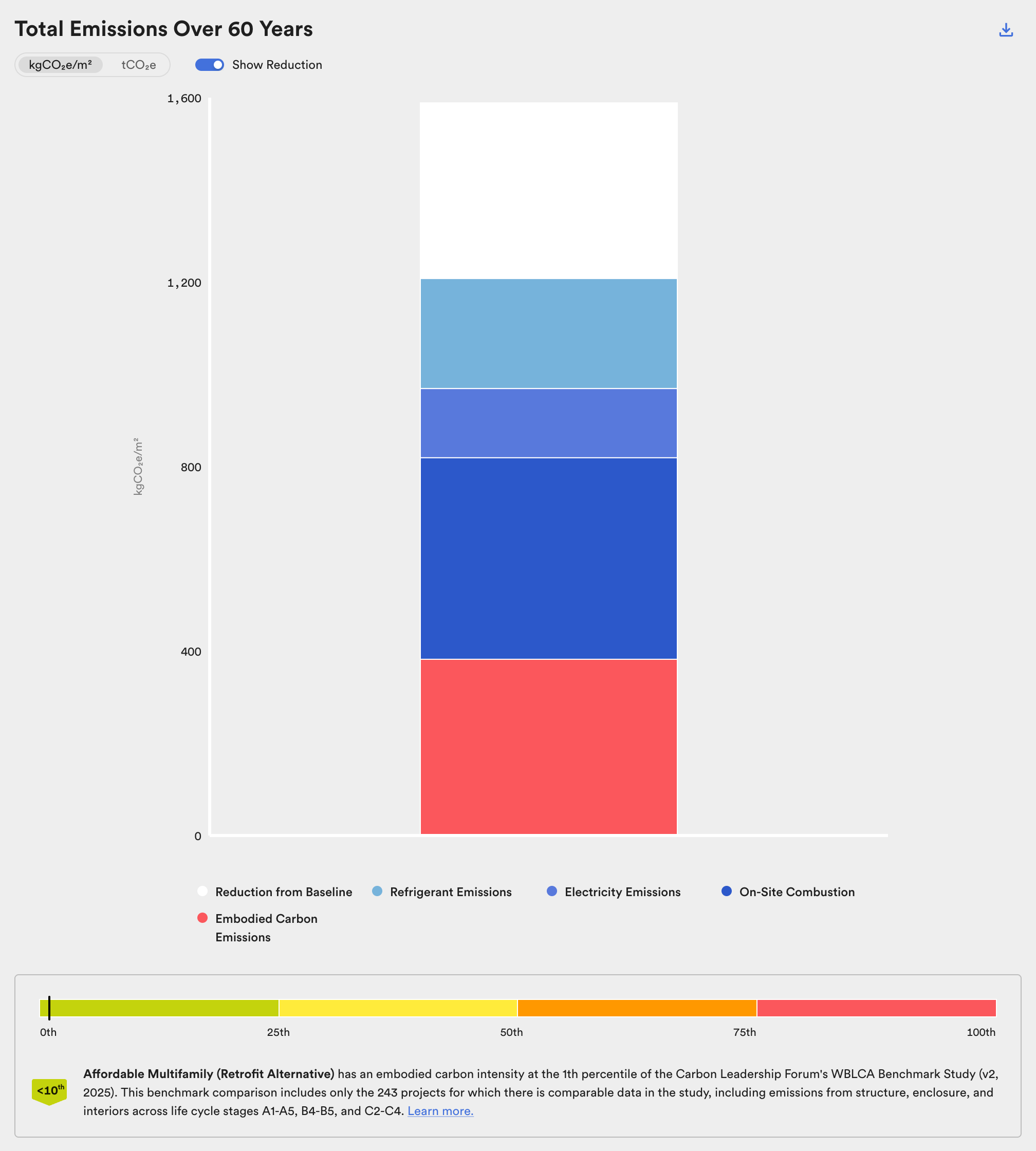
The Total Emissions bar chart and the benchmark percentile.
See the Glossary for definitions of all chart elements.