
Portfolio
⚡ Organization feature. This feature is only available with a C.Scale Organization Account.
A Portfolio lets you compare all active projects in your organization across the same scope categories and LCA stages. Portfolios can be Static Collections (a manually curated list) or Dynamic Portfolios (criteria-based, auto-populated by use case filter). See the Glossary for definitions.
From the Organization Dashboard, begin by clicking the + New Portfolio button on the Dynamic Portfolios tab, or + New Collection on the Static Collections tab.
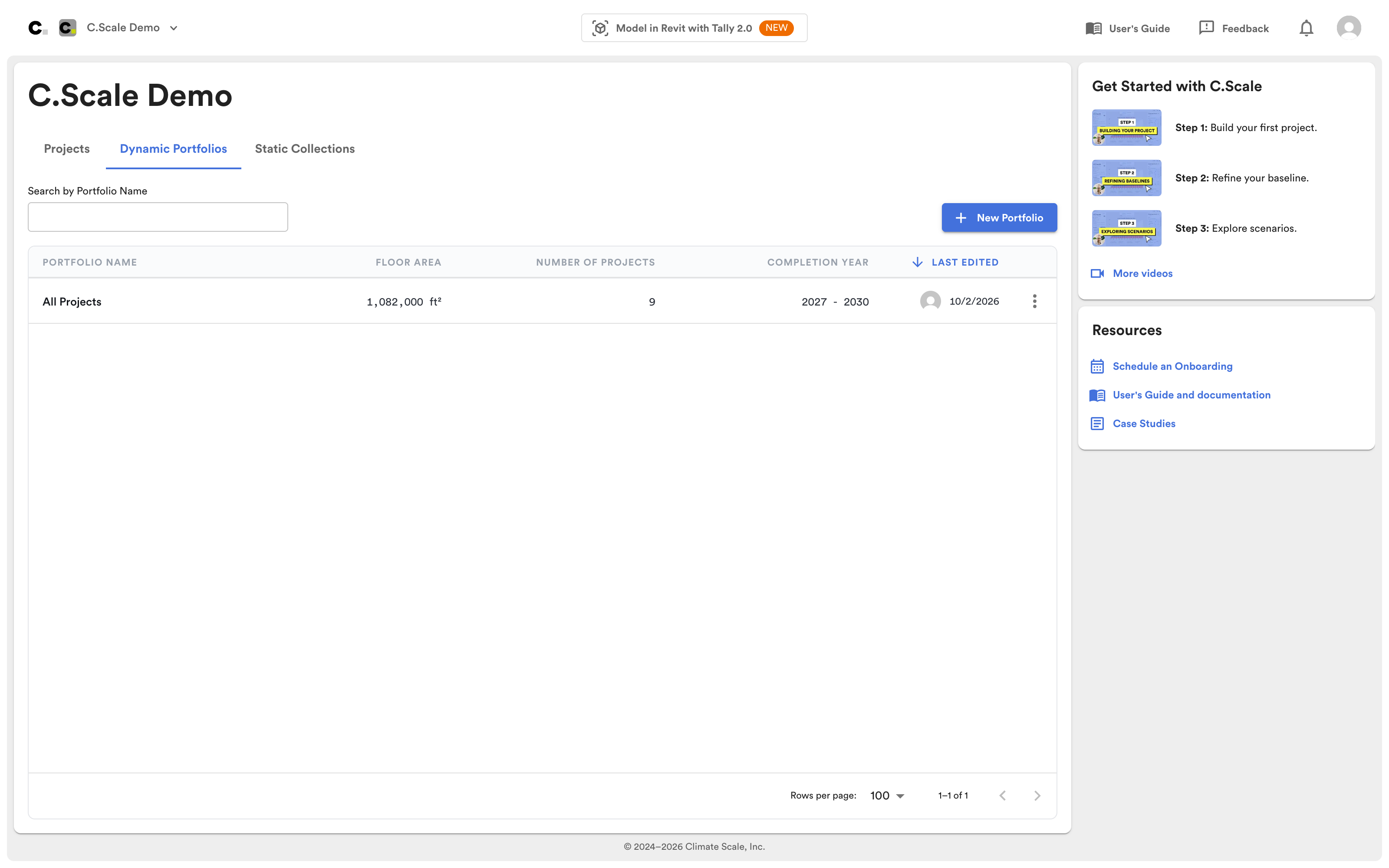
Create your portfolio.
Static Collections:
You can manually add projects to create a Static Collection.
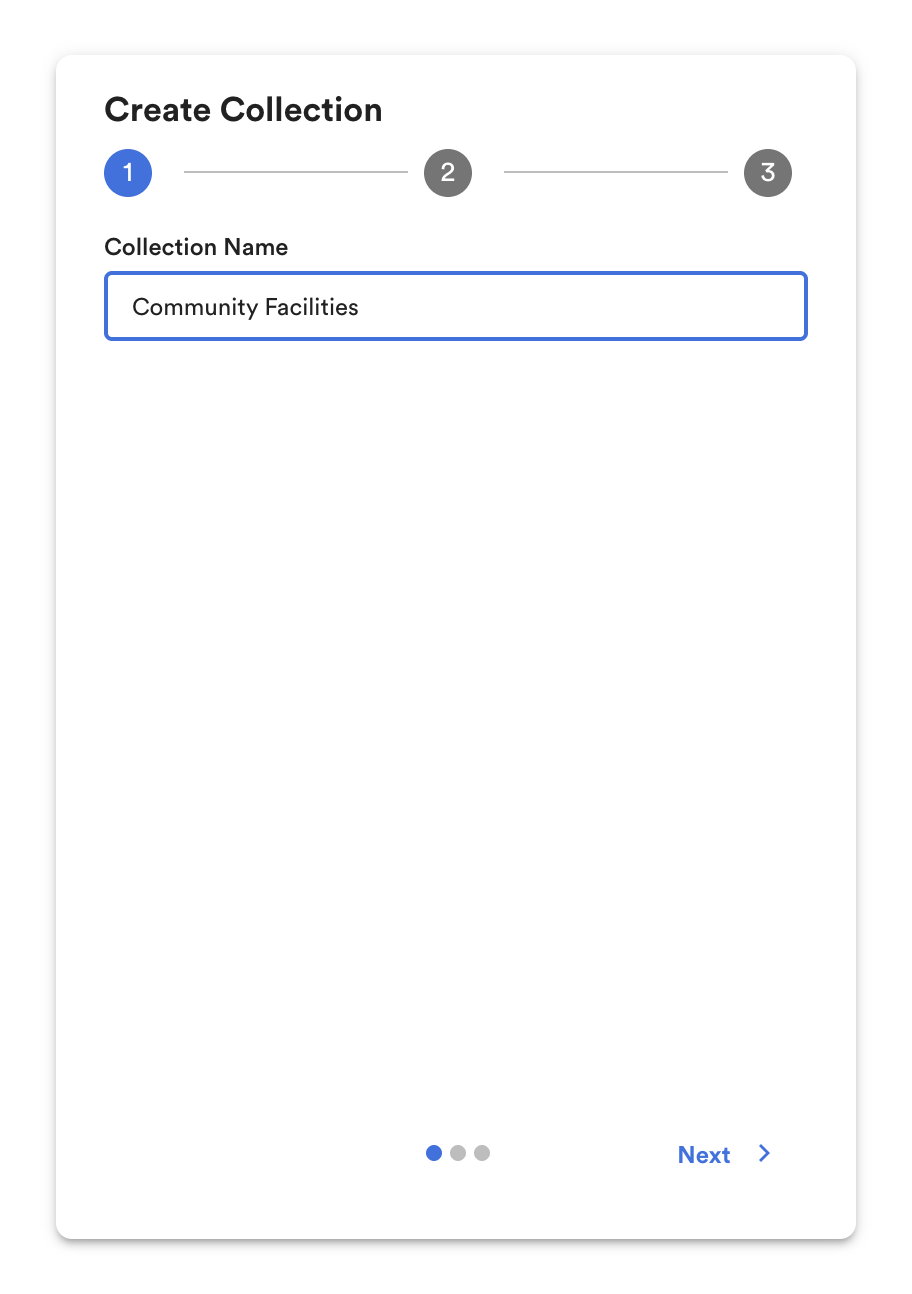
Create a Static Collection.
Projects can be added once to create a Static Collection.
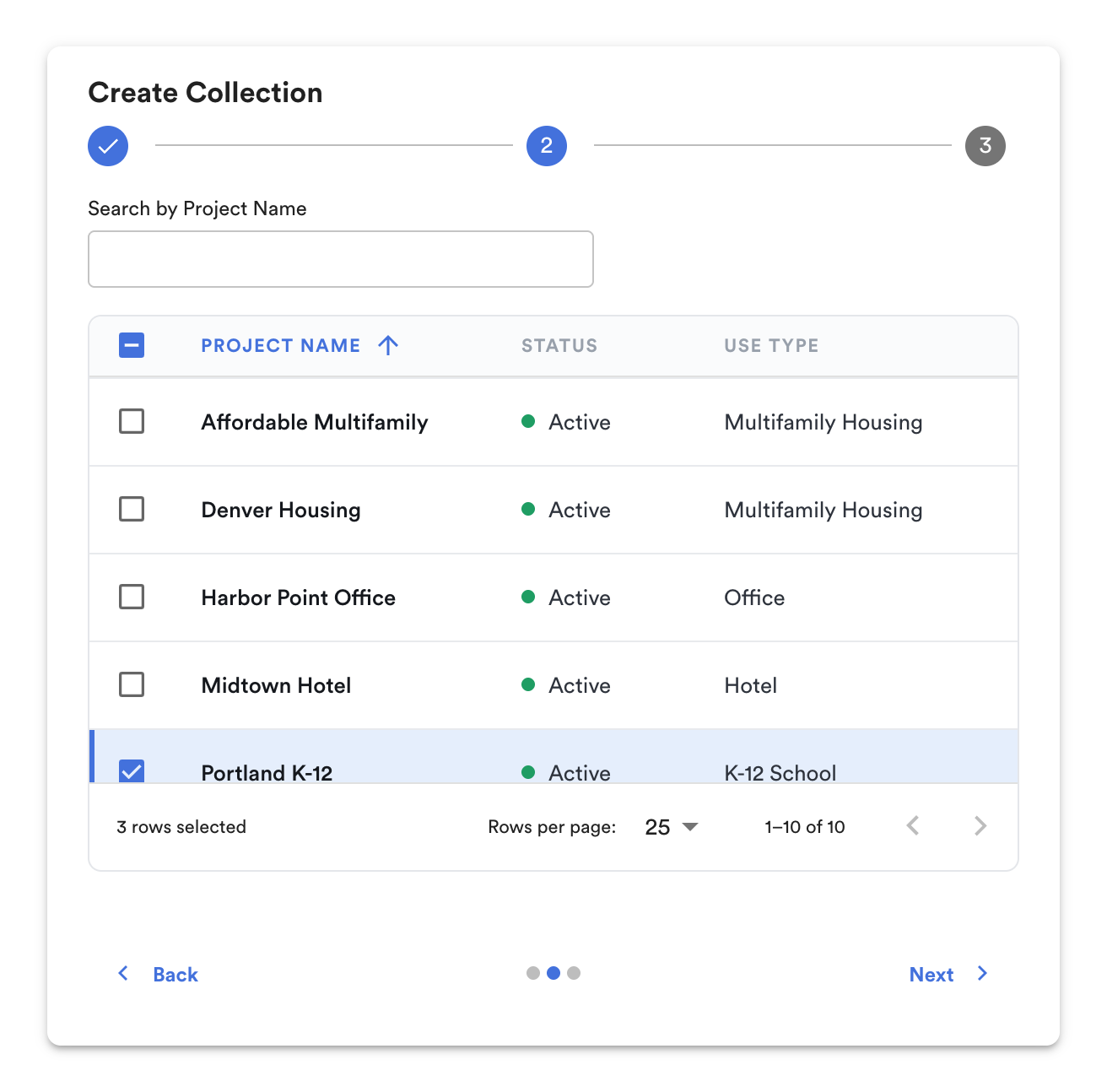
Choose projects to add to the Static Collection.
Fill in the required information and click Create.
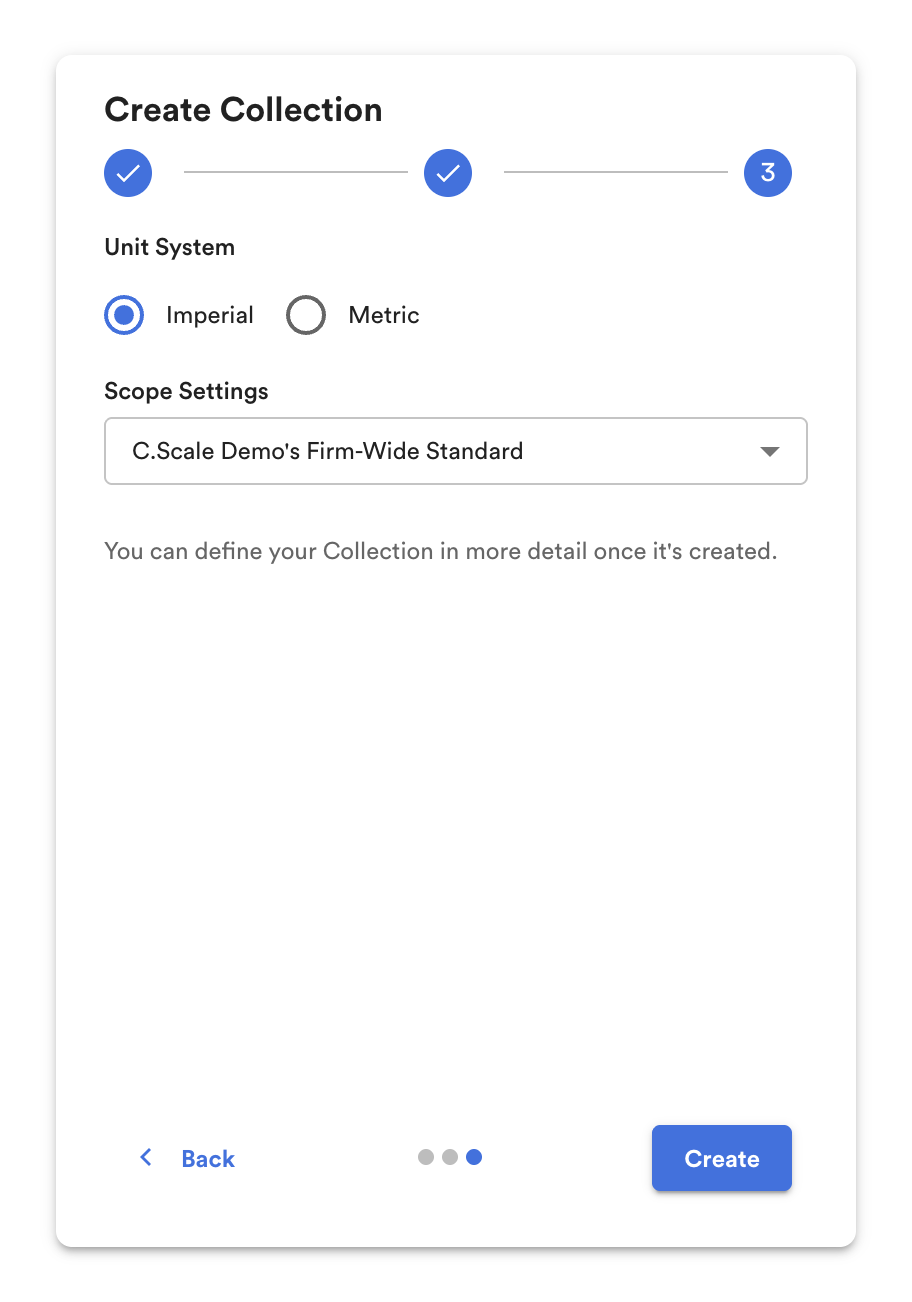
In a few simple steps, create a new collection.
Dynamic Portfolios:
Dynamic Portfolios are criteria-based and are created by filtering for Primary Use Type and Status.
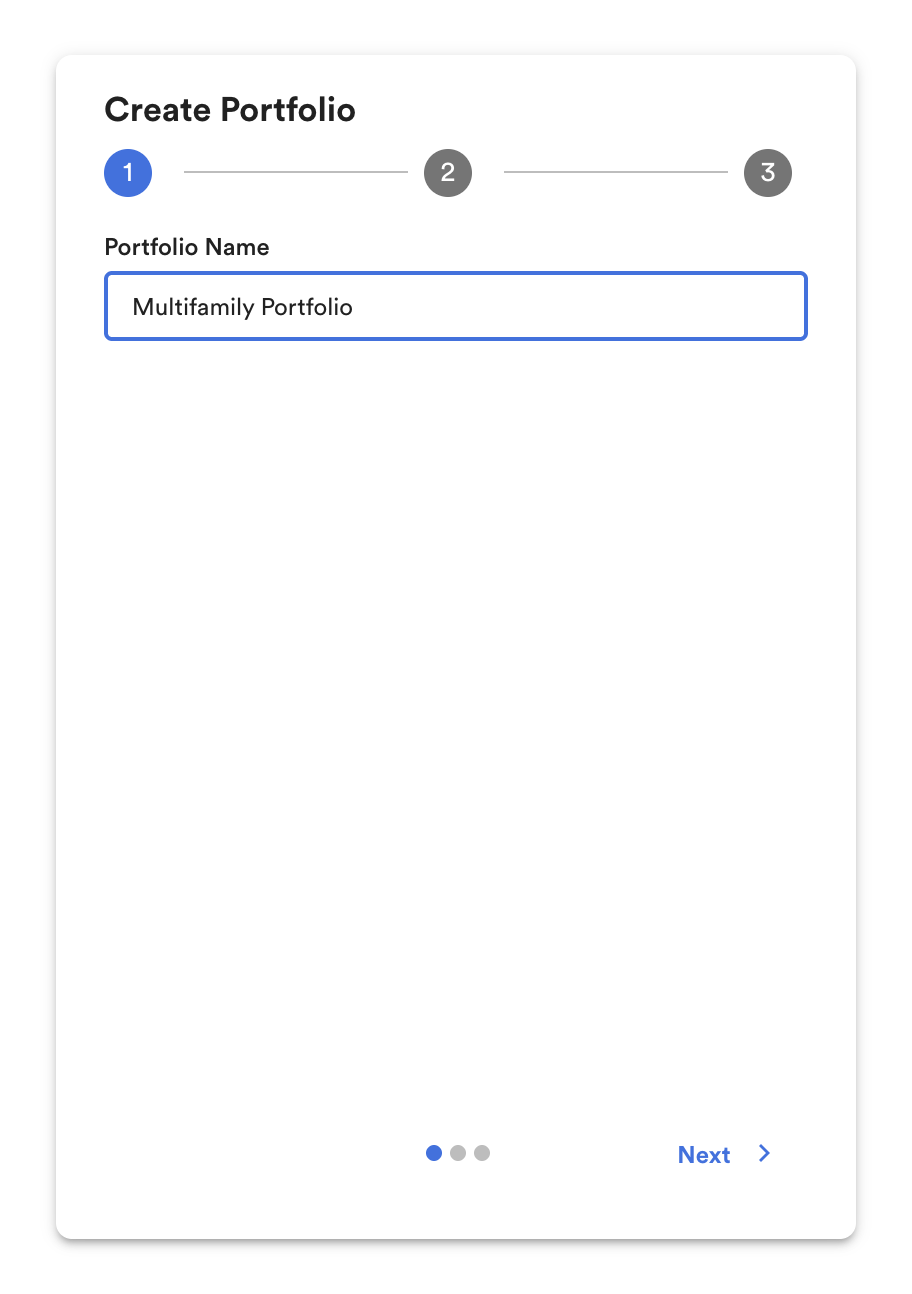
Create Dynamic Portfolio.
Select the Primary Use Type, and the app will automatically add all the Projects in your Organization to the Portfolio. C.Scale will also automatically include any new projects with the same Primary Use Case into the Dynamic Portfolio.
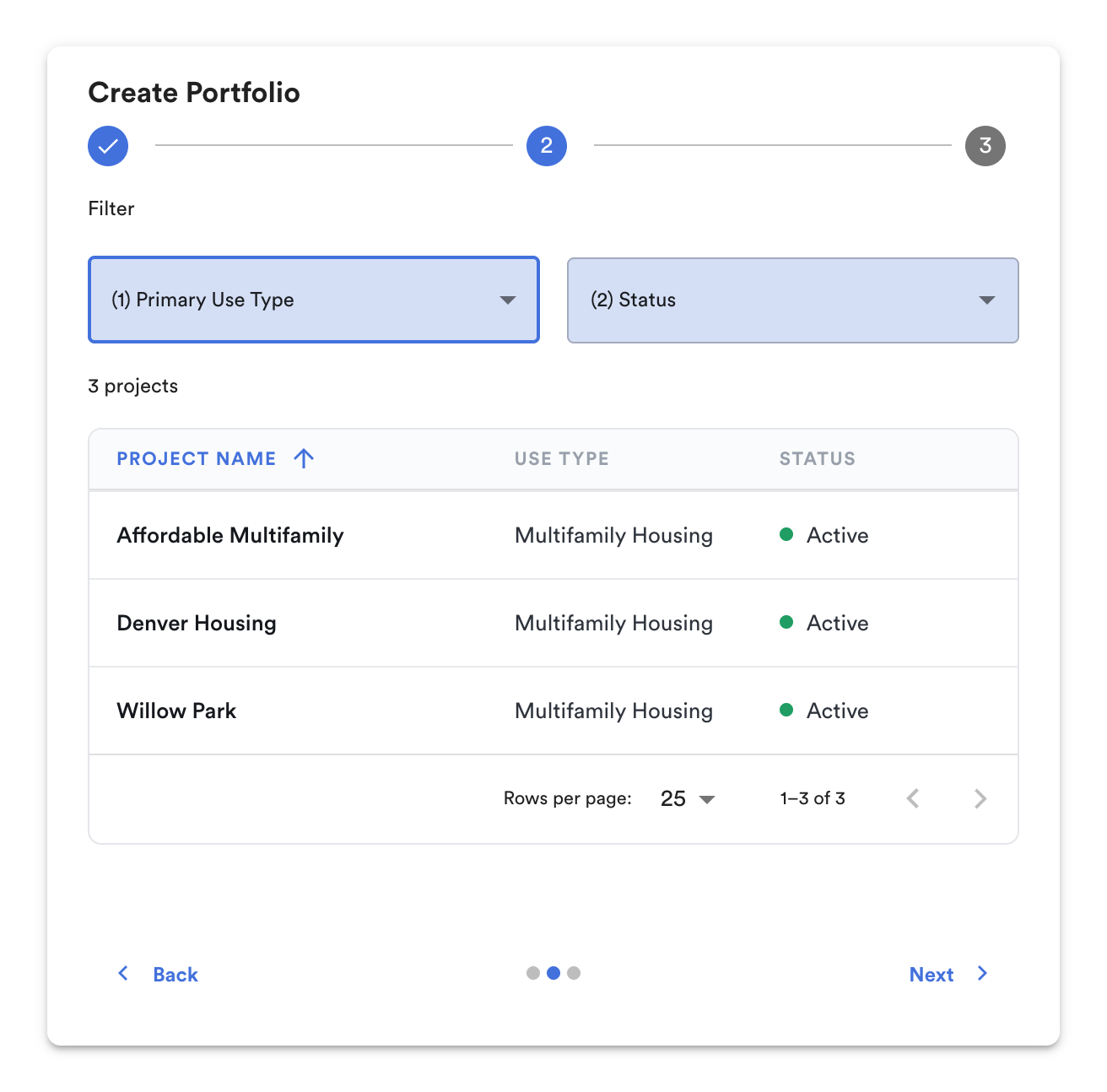
Choose the Primary Use Type to add to the Dynamic Portfolio.
Fill in the required information and click Create.
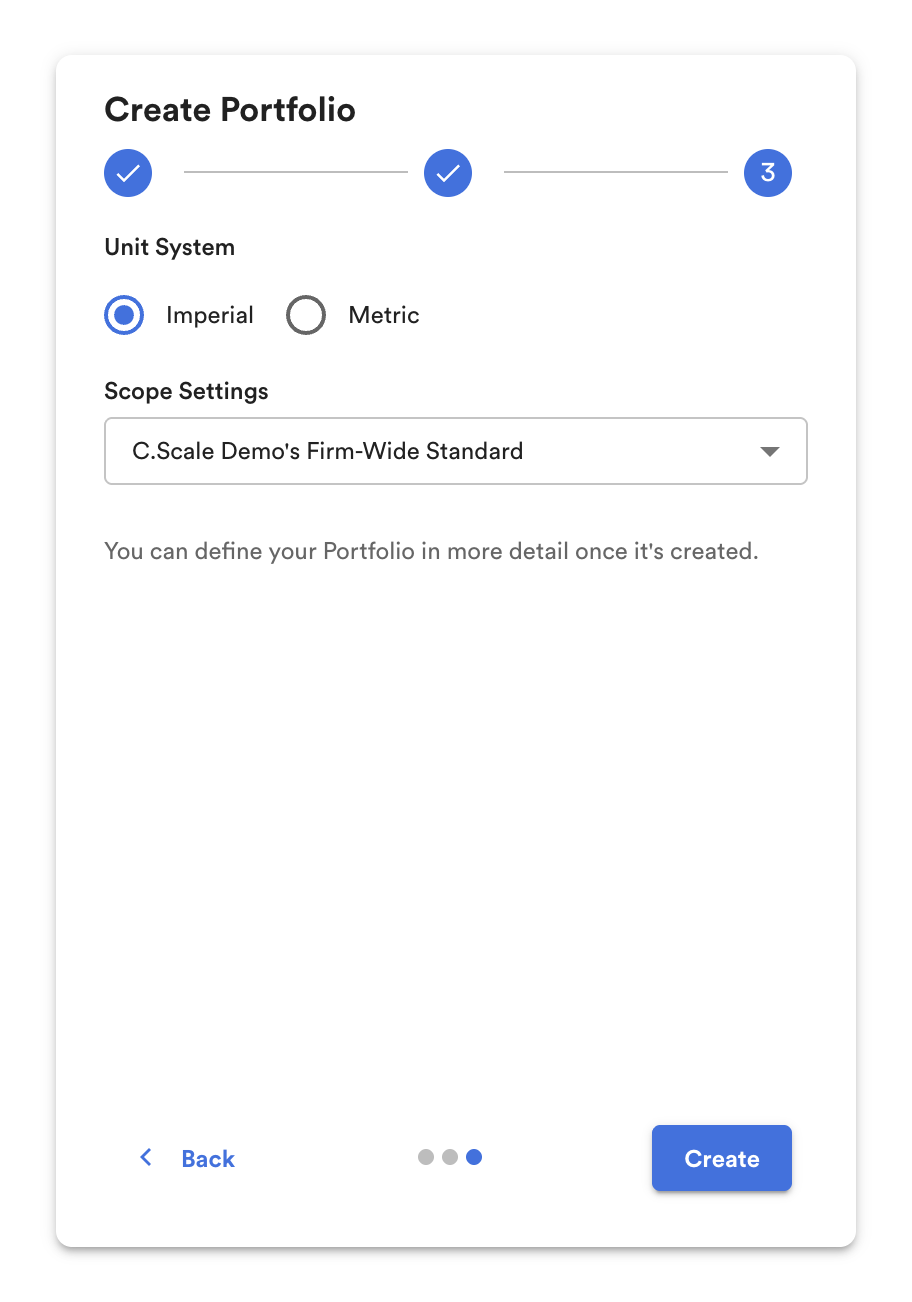
In a few simple steps, create a new portfolio.
After creation, click on the desired Portfolio Name to open up the portfolio view.
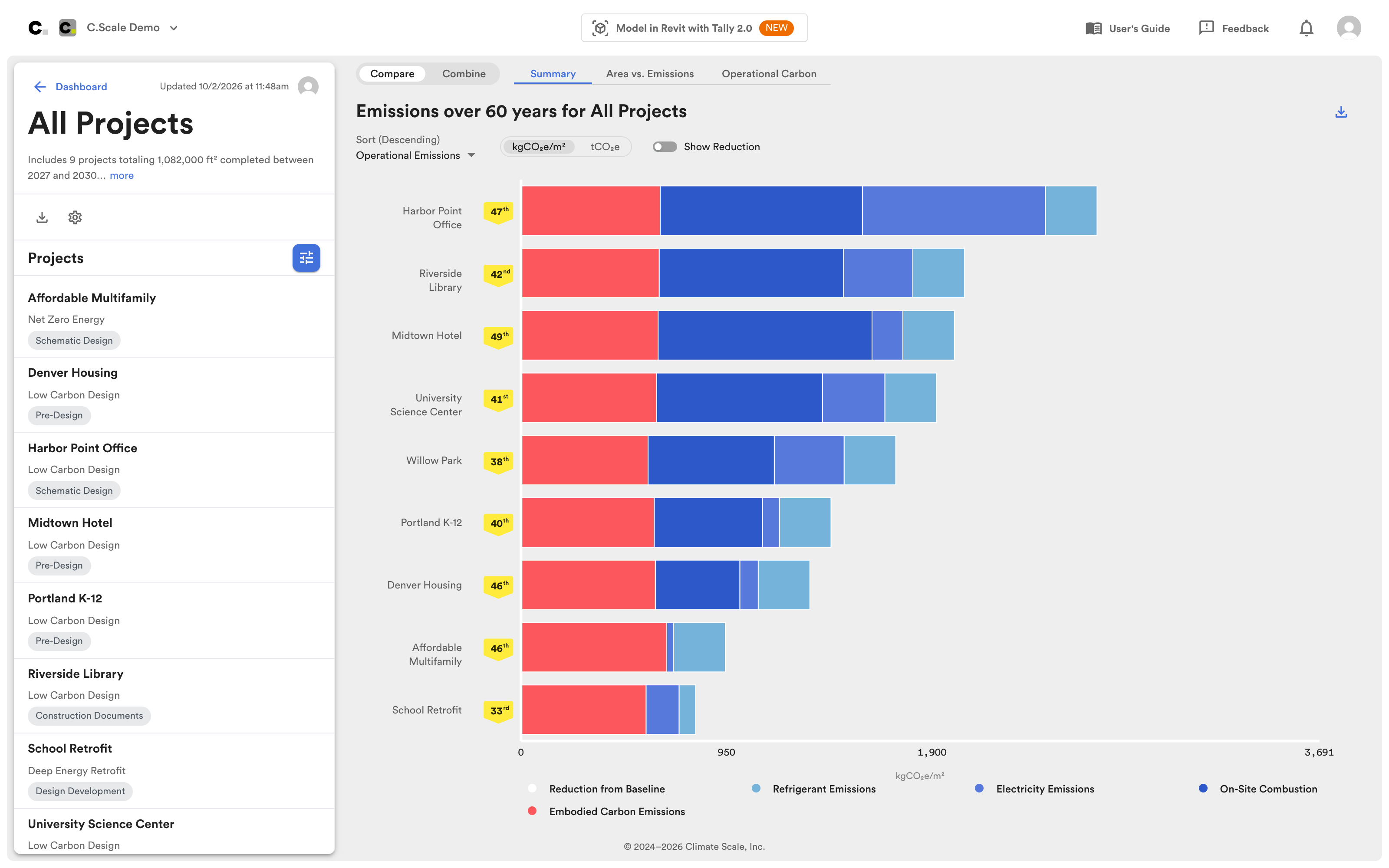
Portfolio view across projects.
Note: All projects within the Portfolio are compared based on the Basis of Design scenarios set within the project.
Portfolio Settings
Section titled “Portfolio Settings”These settings apply at the portfolio level, affecting the Basis of Design scenario for each project. This ensures all projects in the portfolio share the same underlying assumptions and remain comparable.
To refine the portfolio, click the Portfolio Settings (gear) icon in the left-hand panel. For a collection, the icon is Collection Settings.
Portfolio Settings button in the left-hand panel.
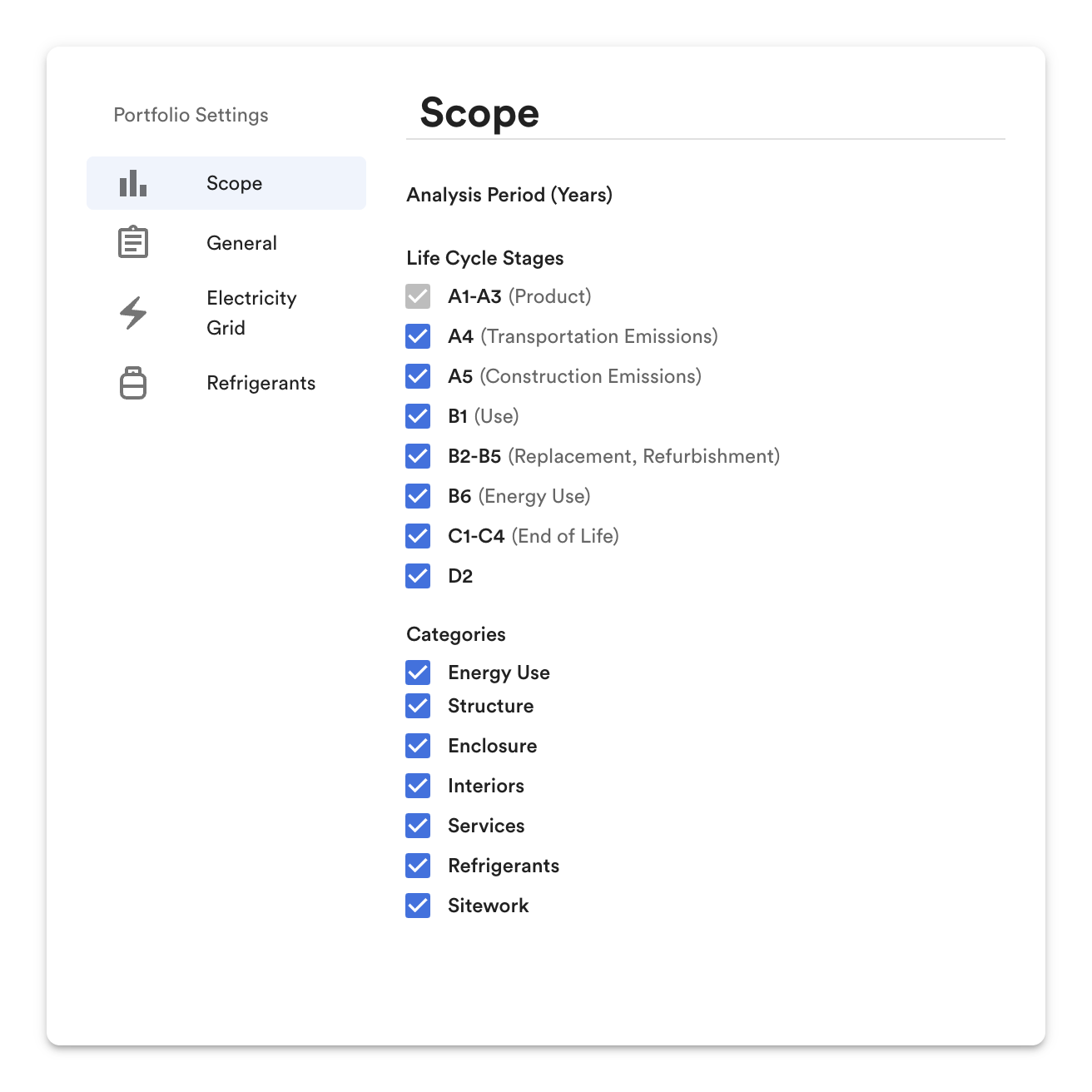
Scope settings.
Refine your scope of analysis at the portfolio level by including or excluding LCA stages or parts of the building to meet reporting goals or facilitate comparison within the portfolio.
C.Scale saves any decarbonization measures in excluded parts of the portfolio scope but makes them temporarily unavailable while they are out of scope. When you restore their scope, the values reappear as last entered.
Analysis Period
Section titled “Analysis Period”Select an analysis period to determine over how many years the analysis takes place.
Life Cycle Stages
Section titled “Life Cycle Stages”Clear a life cycle stage to remove its emissions from the C.Scale model. A1-A3 is always included.
Categories
Section titled “Categories”Clear a category to remove it from the C.Scale model.
General
Section titled “General”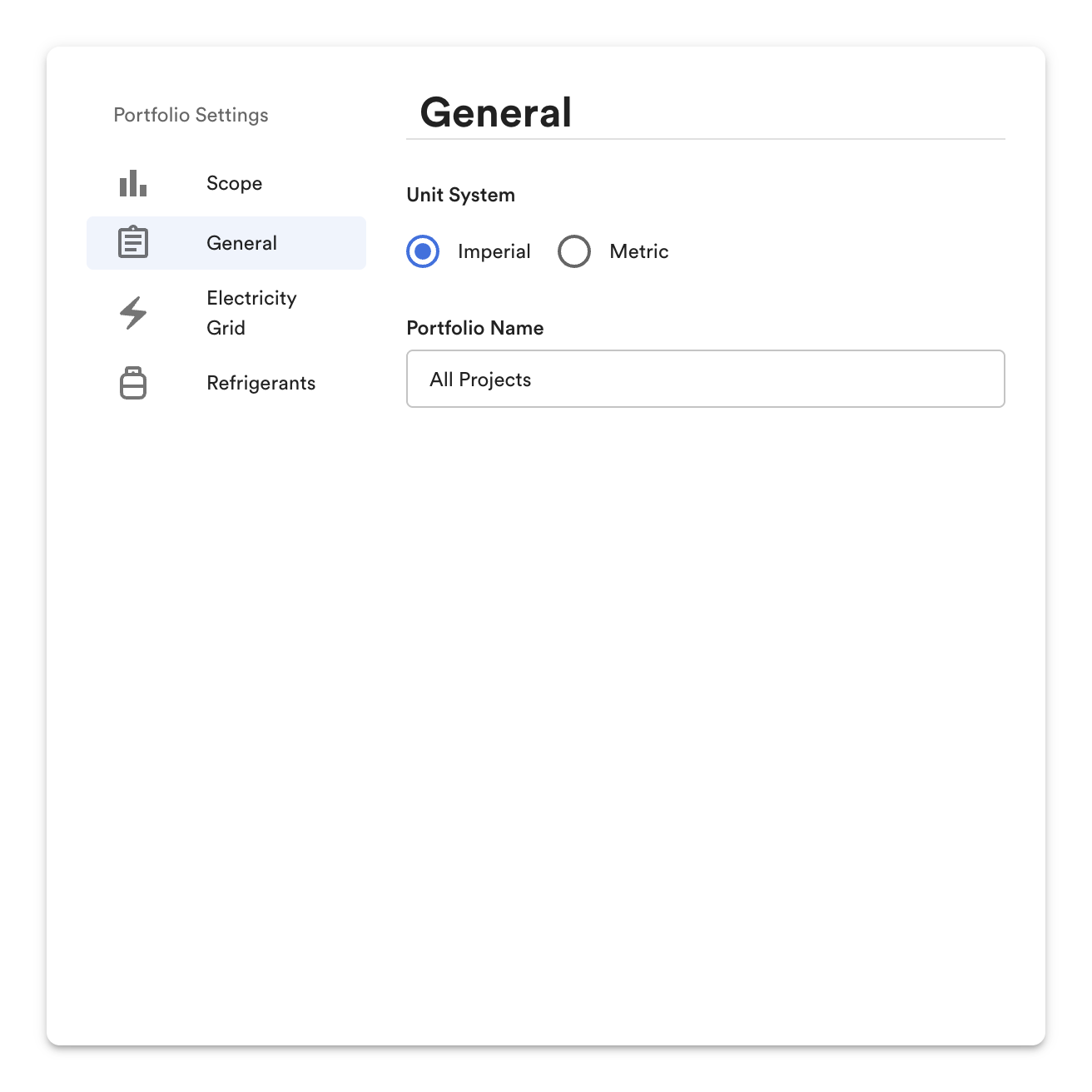
General settings.
Unit System
Section titled “Unit System”Modify the unit system for the portfolio's calculations.
Portfolio Name
Section titled “Portfolio Name”The name of the portfolio.
Electricity Grid
Section titled “Electricity Grid”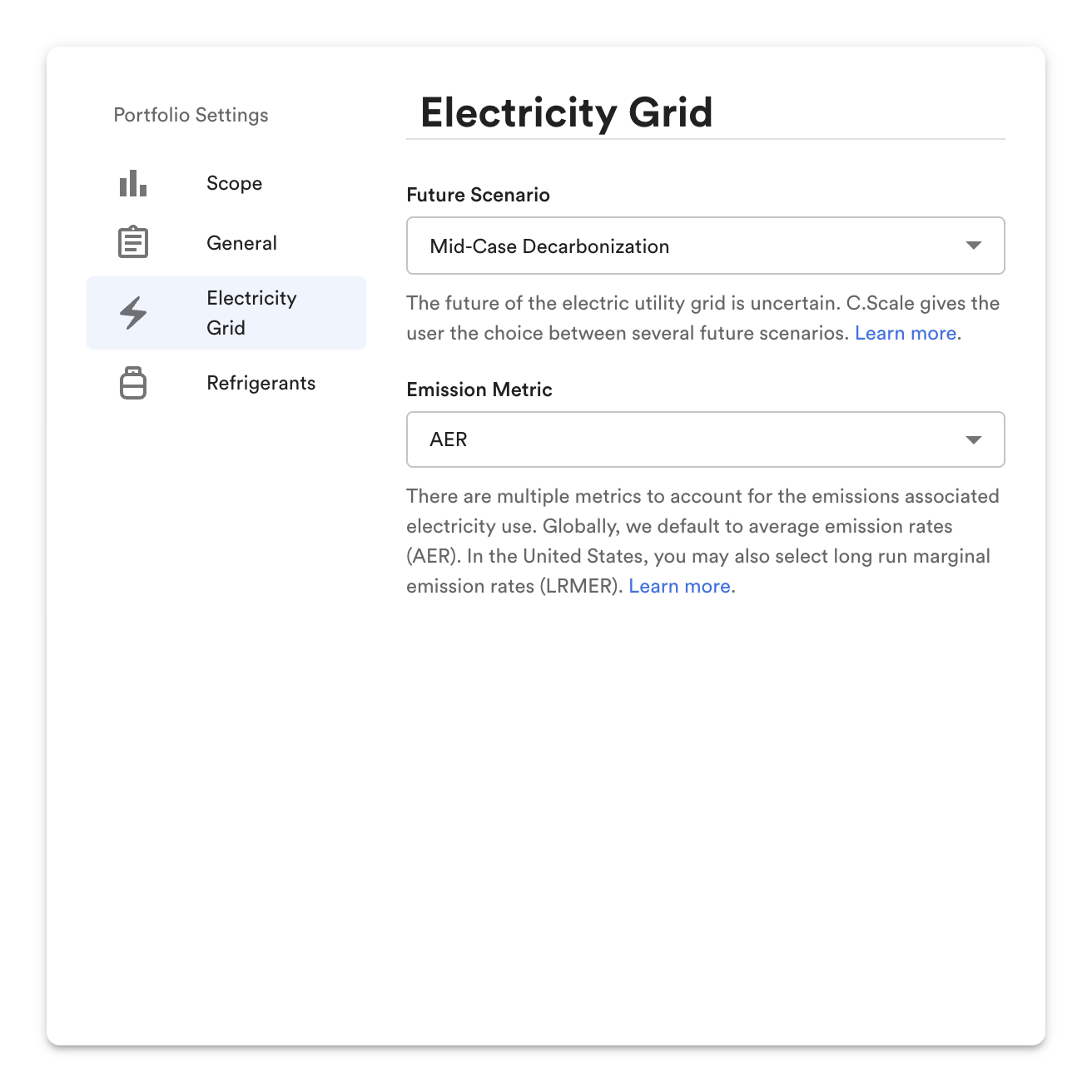
Future Scenario
Section titled “Future Scenario”The future of the electric grid is uncertain. C.Scale gives you the choice between three future scenarios, each derived from NREL's CAMBIUM model.
- Mid-Case Decarbonization. Average estimates for inputs such as technology costs, fuel prices, and demand growth. No inclusion of nascent technologies. Electric sector policies as they existed in September 2022, with the assumption that the Inflation Reduction Act's Production and Investment Tax Credits do not phase out. This metric is described in NREL's Cambium model as "Midcase."
- Slow Decarbonization. Average estimates as in the mid-case scenario, but with an assumption that battery and renewable energy costs are high. This scenario assumes that the thresholds set by the Inflation Reduction Act's Production and Investment Tax Credits are not met and, as such, they do not phase out. This metric is described in NREL's Cambium model as "High Cost of Renewable Energy."
- Rapid Decarbonization. Average estimates for inputs such as technology costs, fuel prices, and demand growth. Nascent technologies are included. Electric sector policies as they existed in September 2022, with the assumption that the Inflation Reduction Act's Production and Investment Tax Credits do not phase out. High-level assumption that the national electricity grid's carbon emissions in 2050 are 5% of their 2005 level. This metric is described in NREL's Cambium model as "95% decarbonization by 2050."
Emission Metric
Section titled “Emission Metric”C.Scale provides two metrics to account for building emissions, both derived from NREL's CAMBIUM model and using GWP-100 characterization factors.
Refrigerants
Section titled “Refrigerants”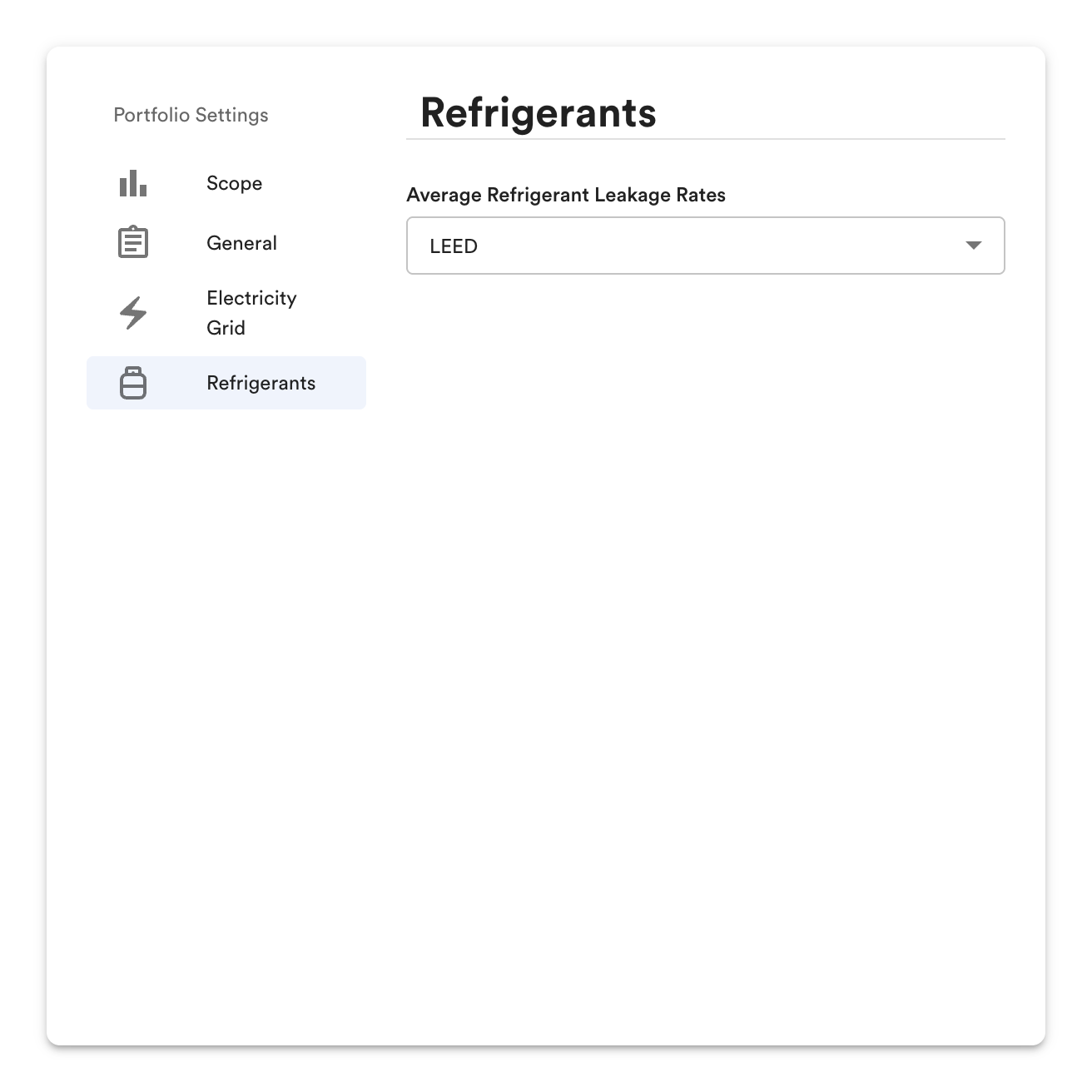
Average Refrigerant Leakage Rates
Section titled “Average Refrigerant Leakage Rates”The leakage rate preset applied to every project in the portfolio: LEED or one of three CIBSE TM65 types.
Compare Projects within Portfolio
Section titled “Compare Projects within Portfolio”Use the eye icon toggles in the left-hand panel to add or remove projects from the Total Emissions chart.
Total Emissions Over 60 Years
Section titled “Total Emissions Over 60 Years”This figure compares the total emissions of each project in the portfolio over the analysis period, one bar per project.
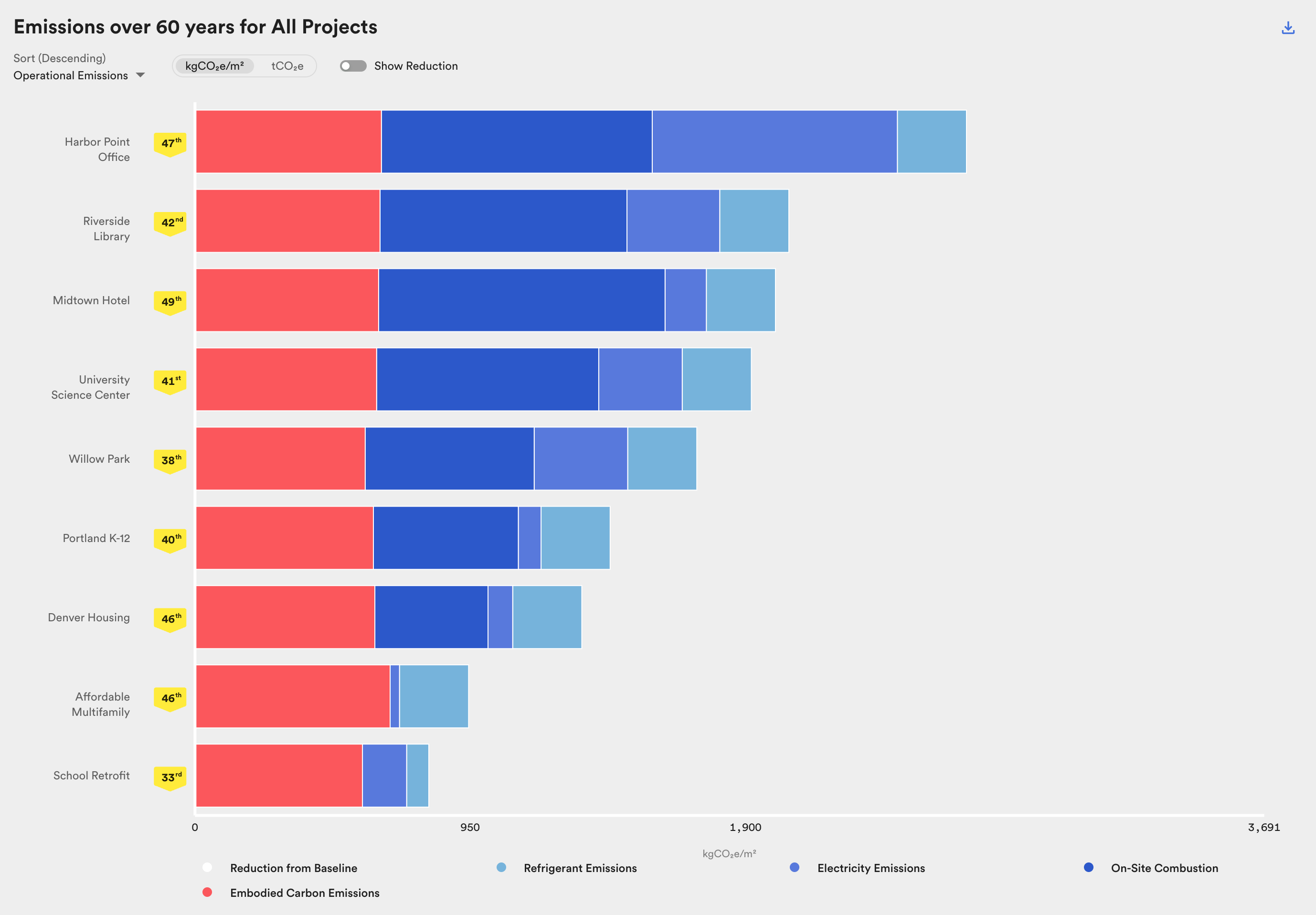
Comparison of project emissions over 60 years across portfolio.
Choose to view emissions in kgCO₂e/m² or tCO₂e. For definitions of chart elements (Refrigerant Emissions, Electricity Emissions, On-Site Combustion, Embodied Carbon Emissions, Stored Carbon, Avoided Energy Emissions), see the Glossary.
Hover over a bar to see the emissions summary for that project. Note that these numbers are rounded to the nearest hundred and may not sum to net emissions in all cases.