# AIA DDx Reporting
To create AIA DDx reports, make sure to set the [Target Scenario](https://docs.cscale.io/users-guide/compare-scenarios/set-target-scenario) for all the projects you want to include in the report.
AIA DDx Reporting can be done in two ways within the C.Scale app: either individually (for embodied carbon reporting) or in bulk (for holistic reporting).
### Individual Project Reporting
{% hint style="info" %}
Note that you cannot export any project-level reports until you have set a **target scenario**.
{% endhint %}
Inside the project, right above the Project Name**,** you'll find an Export button. Click on it and select the **AIA 2030 Commitment Embodied Carbon Report (PDF)**.
A pop-up menu opens up where you can choose the **Phase of Project** and **Export**.
Choose Phase of Project and Export.
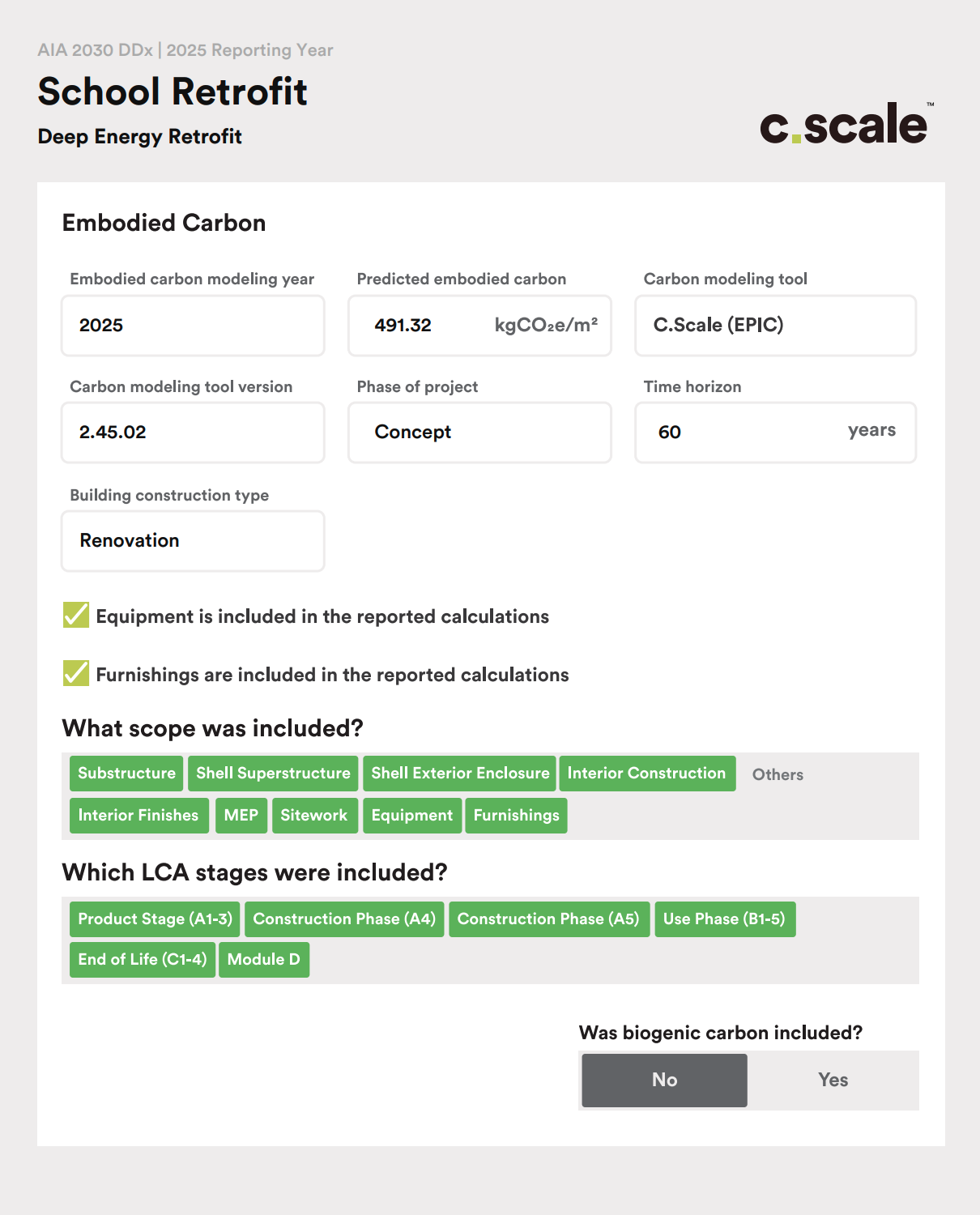
The PDF report is designed to mirror the AIA DDx Reporting interface, making it easy for you to report. Just copy the content from the boxes and paste it directly into the Reporting interface! Easy, peasy!
AIA DDx PDF Report example generated from C.Scale.
### Bulk Reporting
To bulk report multiple projects, go to a Portfolio or Collection and click on the **Export button** located int he project settings on the left-hand panel. From the drop-down, choose **AIA 2030 DDx Bulk Export.**
A pop-up menu will appear, displaying all the projects in that portfolio or collection. You can either select All Projects or choose individual projects one by one that you want to report on. Once you've made your selection, click the Export button to proceed.
Choose the projects you want to report on.
The exported Excel file contains all the essential information you need for reporting to the AIA 2030 Commitment. Below is an example of what the file may look like.
AIA DDx Bulk Export Report example generated from C.Scale.